Estimate 1024, revision 241% margin
| Item | Qty | Price | Margin |
|---|---|---|---|
| Director of photography | 2 days | $2,400 | 52% |
| Gaffer, subcontracted | 2 days | $1,800 | 22% |
| A-cam kit | 2 days | $1,300 | 68% |
| Location fee | 1 | $750 | 0% |
+ 9 more lines$18,400
Run leads, estimates, crew and gear from one place, with a playbook built from 20 years of running shoots.
Documentation and the method included with every plan.
 Built on AWS
 Calendar by Google
 SMS by Twilio
 Payments by Stripe
 AI by Claude
The budget is in a spreadsheet, the crew is in a group text and the gear list is on a sticky note.Crew, budget, gear, paperwork and files live on the job itself, so the answer is always in the same place.
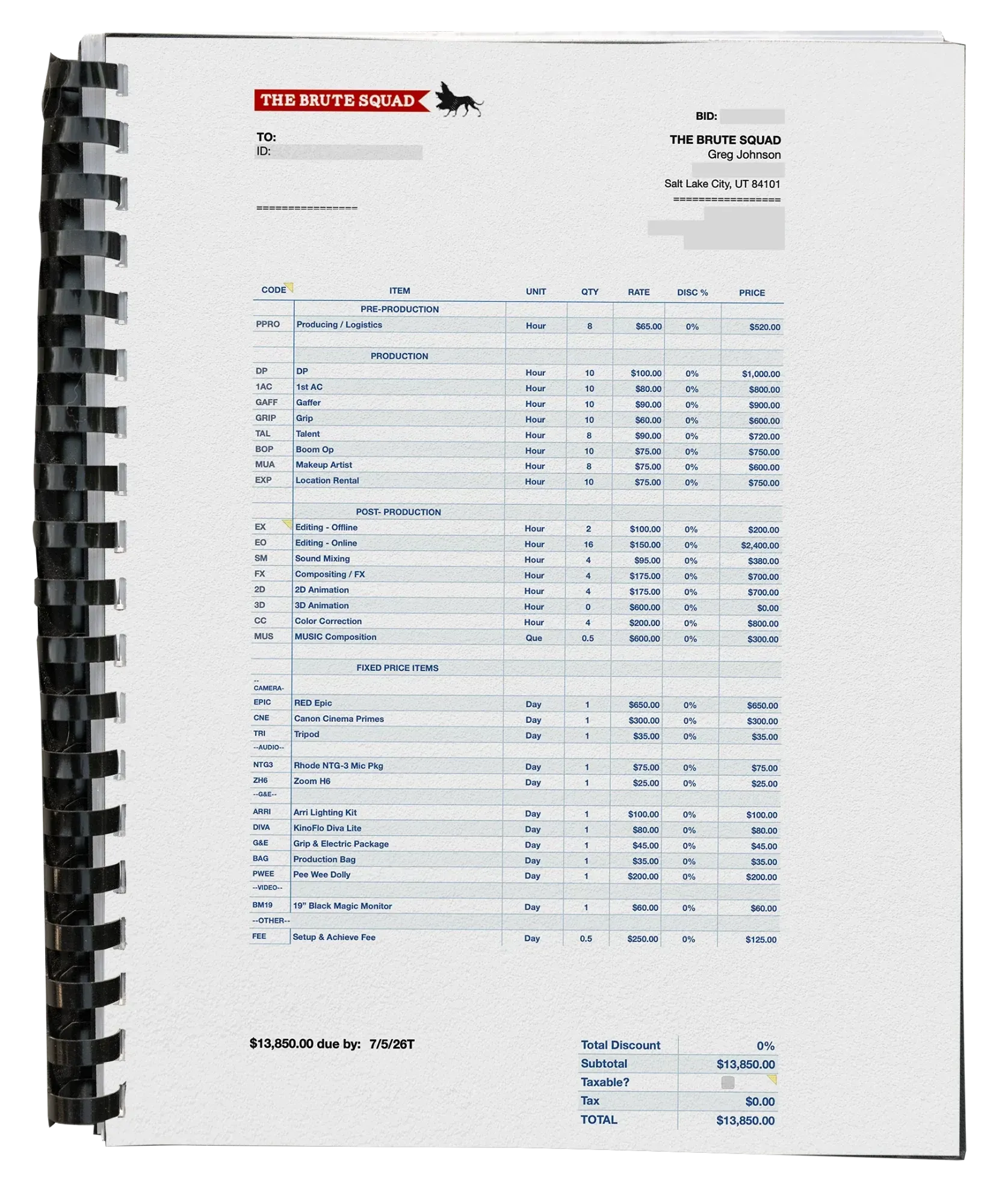
This is a classic tale of how a humble little spiral-bound notebook, that was carried to every shoot, grew up to become a platform that runs your entire production company.
Storyboards, budgets, gear lists, call sheets. If someone on the team had a question about the job, the answer was in the binder.
Project Binder is a method as much as an app. A job has one home from the first phone call to the final numbers, and the app handles the admin at each step.
Project funnelFirst call to final numbers
1
2
3
4
5
This isn't a guess thrown at the wall. Give it the brief and the client's budget appetite, and Project Binder builds the estimate from your own services, rates and gear, scoped and bid the way you'd do it.
Then it tells you why: what it scoped, what it left out and where the budget pressure is. You review, adjust and send. When the job is approved, generate the statement of work from the same data.
Producer and Production Company, under fair use
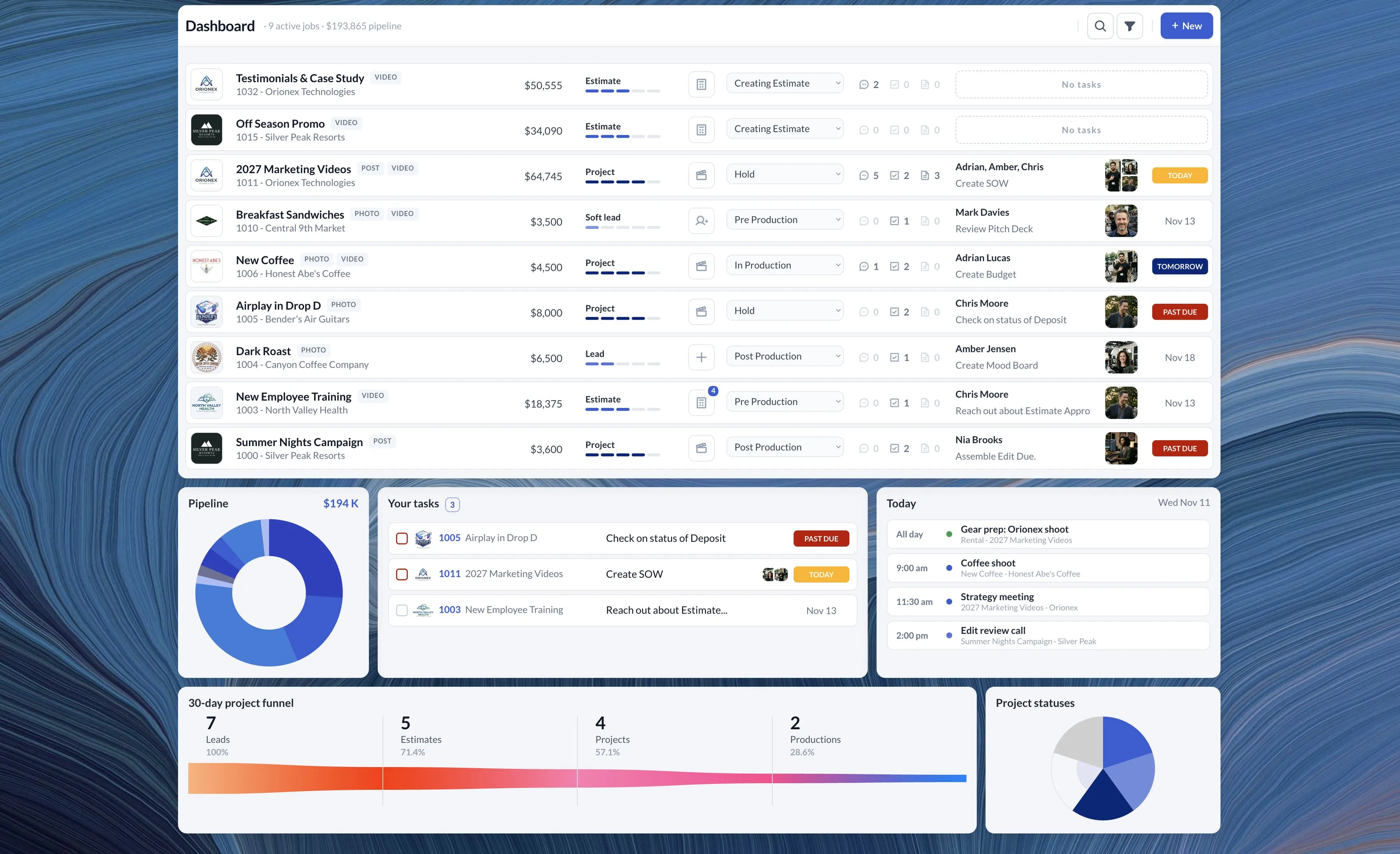
A five-minute standup is quick. A dashboard paints a clearer picture, and nobody has to stand by the water cooler.
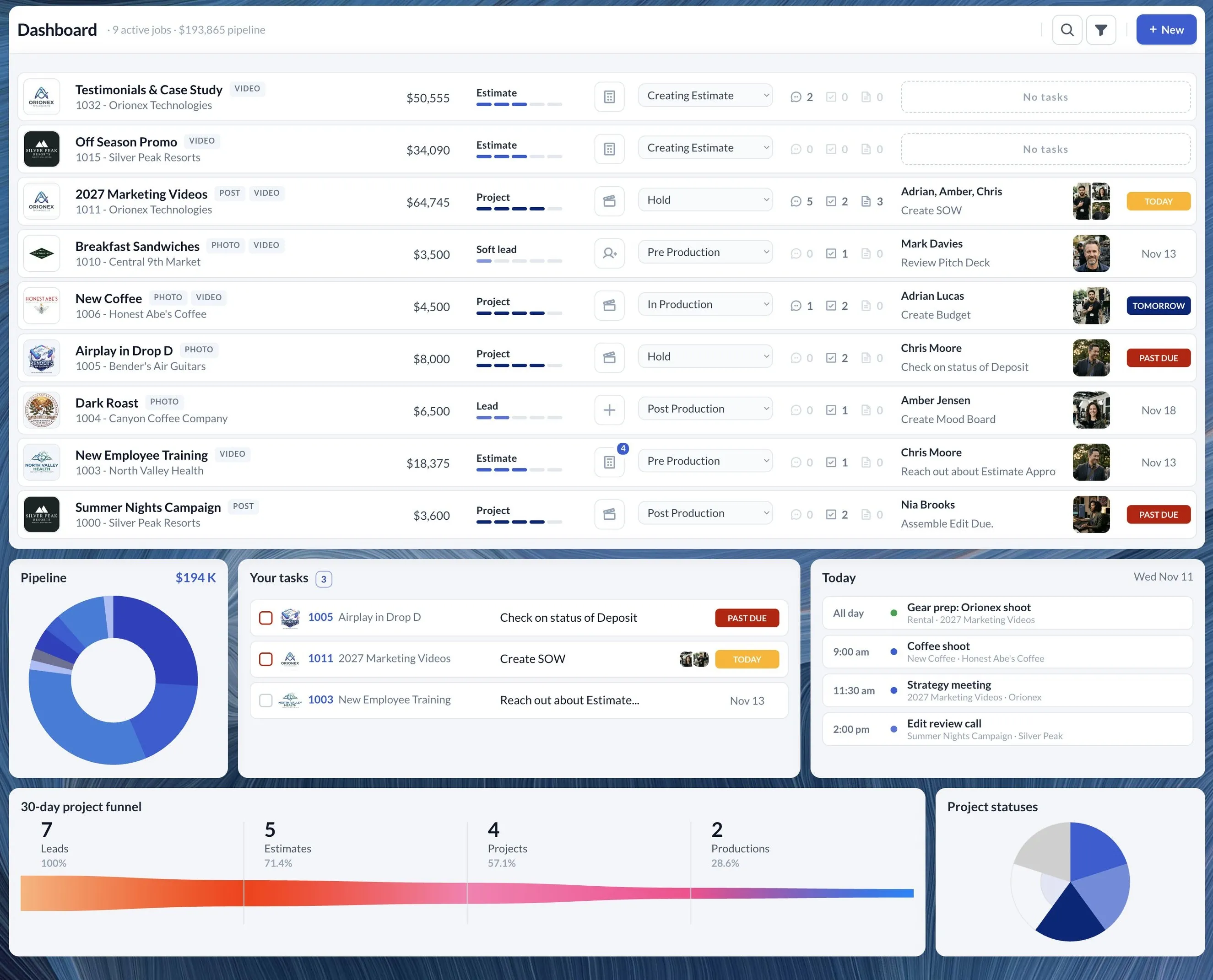 12345
Most production companies run on a patchwork of spreadsheets, texts, emails and apps that don't talk to each other. Project Binder brings it all under one roof.
Meet the Board. Every job gets one: intake, chat, tasks, documents and deliverables in a single place that opens from almost anywhere in the app.
 Works with Google Calendar
Link your personal calendar, your company's production calendar and your gear calendar once. From then on they follow you through the app, so you spot a clash before you book it.
Set production dates on a project and each one becomes an event on the production calendar and a reservation on the gear calendar.
The calendar in the header opens all three, color-coded, from wherever you are in the app.
Your dashboard shows the day’s events from all three calendars beside what is due.
Google Calendar is a trademark of Google LLC.
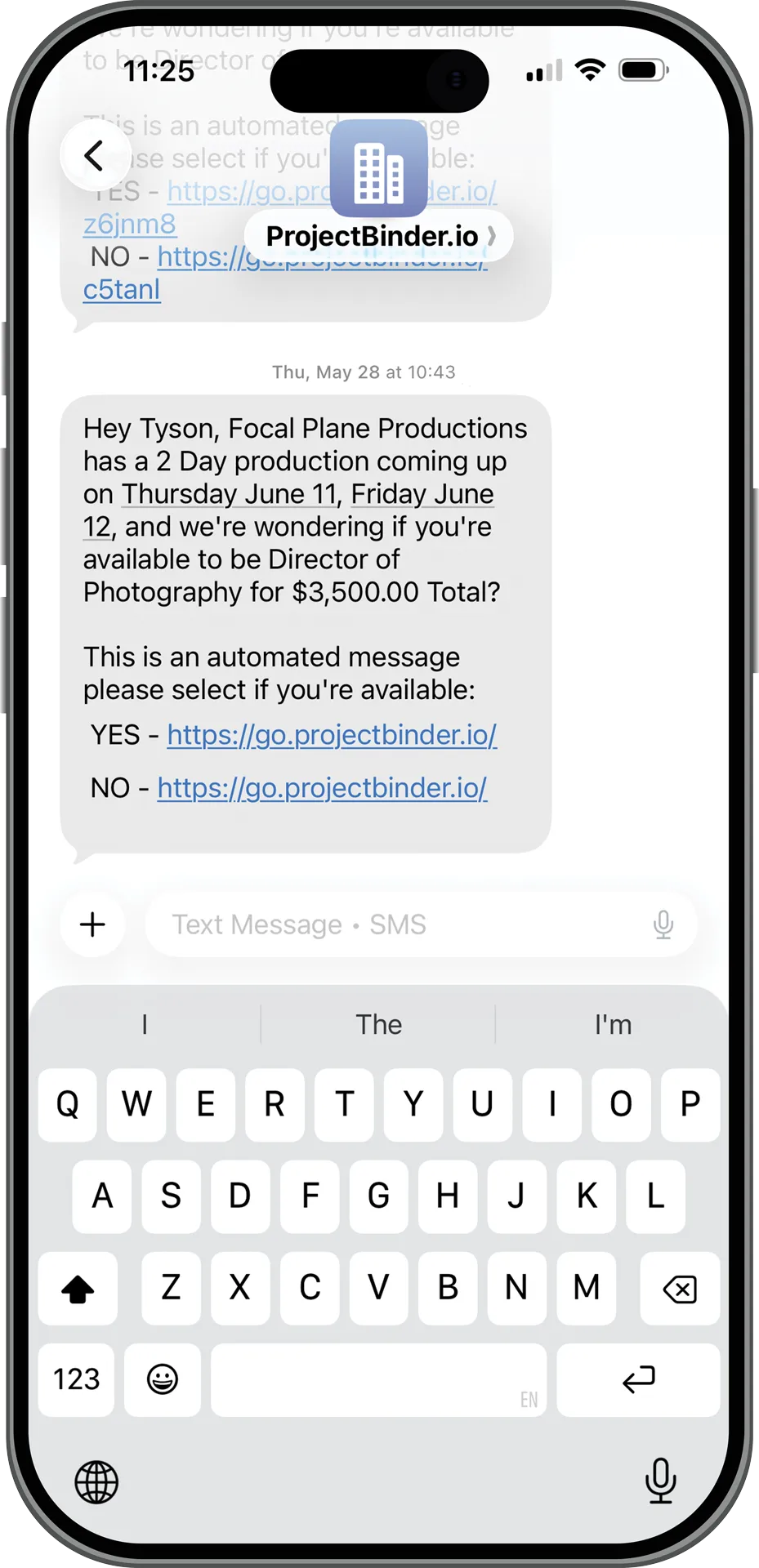
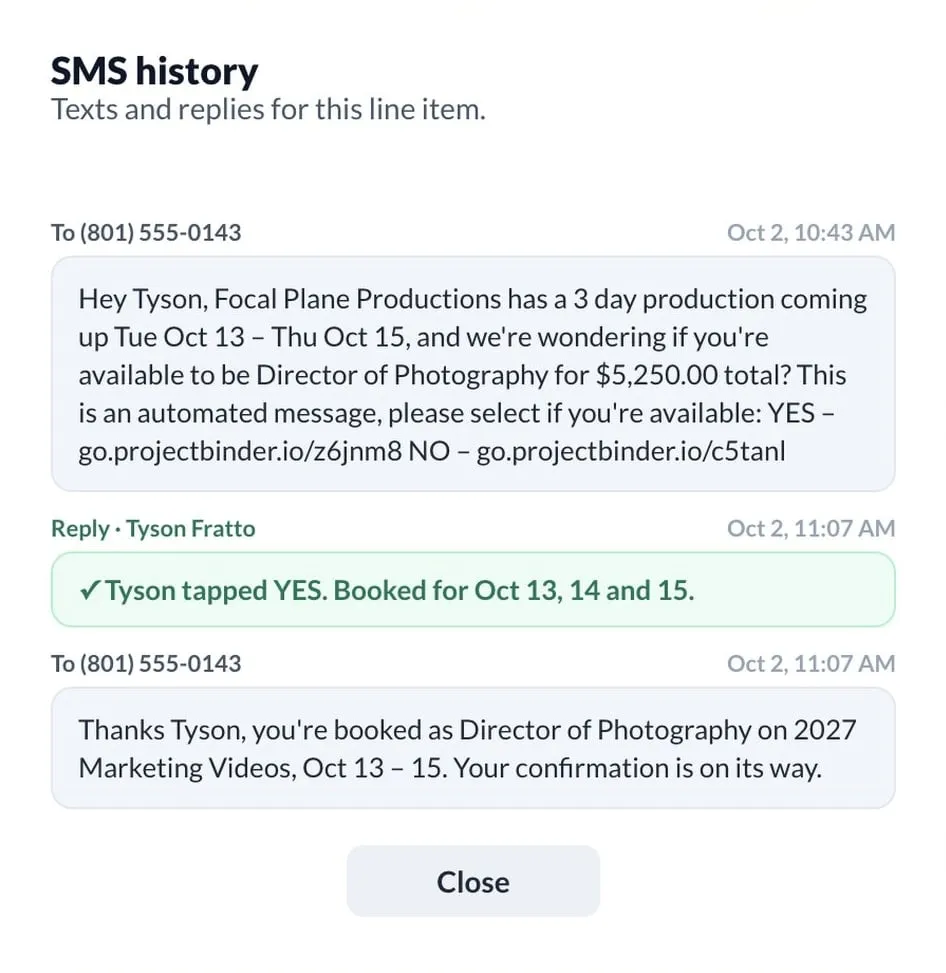
A single crew booking can mean a dozen phone calls, each one turning into ten minutes of catching up, schedule checking and phone tag. Project Binder sends the booking request by SMS or email and tracks every response in real time. What used to take half your day takes a few clicks.
Exports as print-ready PDF
Everything that leaves Project Binder carries your logo, your terms and numbers that add up. It all comes from the same project data, so the estimate, the statement of work and the crew brief never disagree.
Itemized, subtotals or totals only. One click to a named PDF, or flip it to an invoice.
Videographer and upScope, deliverables and your revision policy, drafted from the project data for you to review.
Producer and upCodec settings, audio inputs, card labeling and a simplified call sheet for remote crews.
Producer and upA heads-up display sits at the bottom of the Estimate Builder and the project budget. Cost, profit, margin and the project total move with every line you add, so you know where you stand while you build. No surprises when you hit send.
Videographer and upWhen the shoot wraps, Reconcile lets you enter the actual costs against the quote, rate your subcontractors and see the real margin. Then lock the job and file it.
Producer and up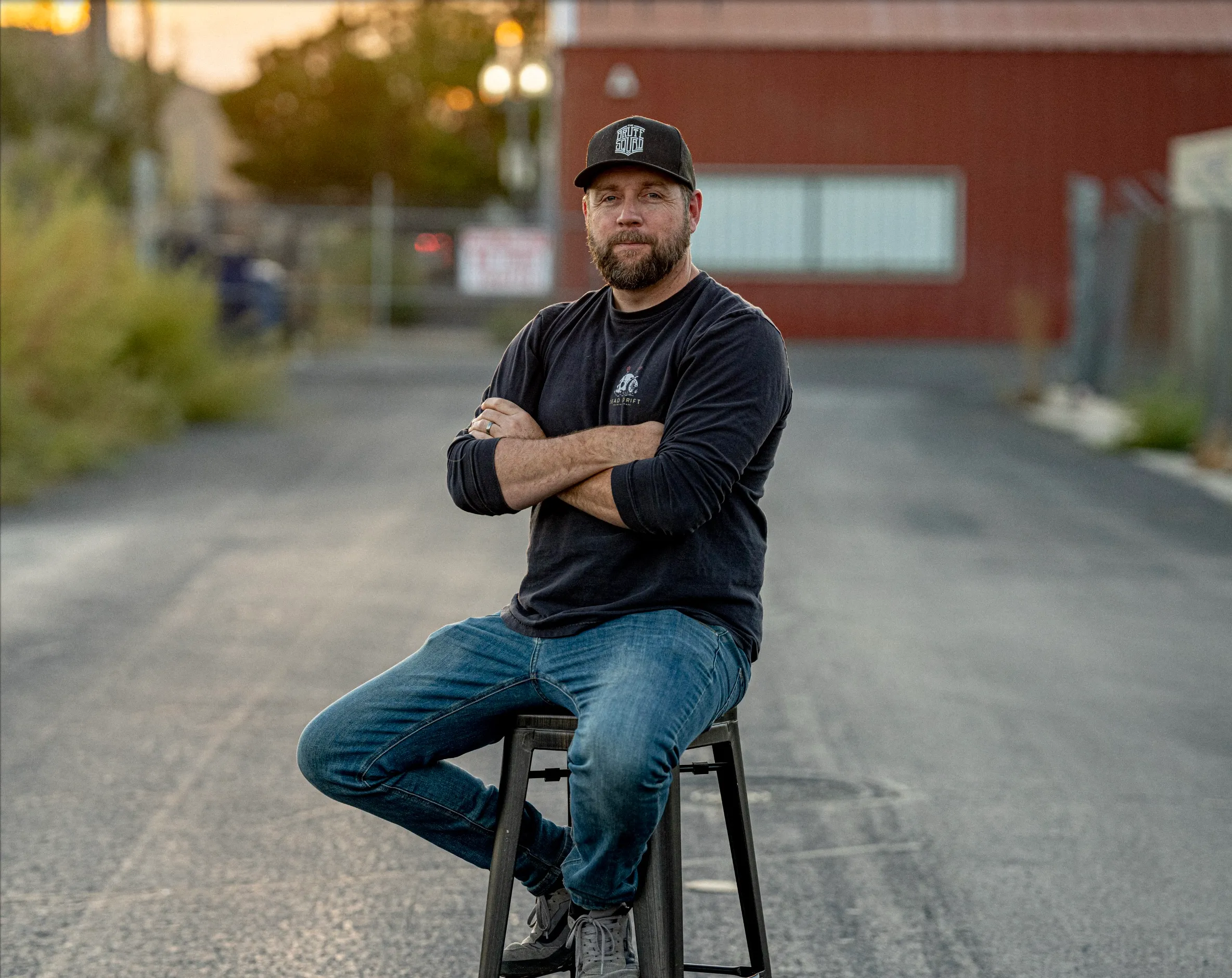
Greg Johnson spent 20 years as a director of photography and production company owner, and built and sold a company along the way. Project Binder is the system he ran his own shoots on, opened up to everyone still running theirs on spreadsheets.
And no, it isn't vibe-coded. Every screen was designed, built and rebuilt over years of real productions, then stress-tested before launch.
Greg Johnson, founder
Read the storySoftware alone doesn't fix a messy workflow. You get the method too: how to set the company up, and how to run a job through it. Want someone to walk you through it? Guided onboarding is available on request.
Walkthroughs of the method, from the first lead to a reconciled job, added as they are recorded.
The Google Sheets import template and a project folder structure to start from.
Twelve sections covering setup and daily use, with a settings checklist.
One-to-one setup and training sessions are available on request. Not required to get going.
Choose the plan that fits your production company. Yearly plans get two months free, and every plan includes the documentation. Guided onboarding is available on request.
For the first 25 companies to sign up on a yearly Videographer or Producer plan. Founding members get our ear, too: your feedback shapes what we build next.
Code FOUNDER50 is filled in for you at checkout. New customers only. Regular price from year two.
of founder seats left
Founder price$345first year
For solo shooters who handle their own projects and don't need inventory tracking.
Regular price $58$29$58/month
$69/month
Billed monthlyFounder price$845first year
For production companies with a few employees and small equipment packages.
Regular price $141$71$141/month
$169/month
Billed monthlyFor teams running multiple projects with subcontractors, multiple clients and a full equipment inventory.
$291/month
Billed yearly at $3,490$349/month
Billed monthlyEnterprise. Custom features or dedicated support? Tell us what you need or book a demo.
* AI features are provided under fair use; Project Binder may set reasonable monthly limits. Prices in US dollars.
Something else on your mind? Send us a note or book a demo.
Yes. Fill in our Google Sheets template with your services and rental products, export each tab as a CSV and import it under Settings. It saves hours compared with typing everything in.
How the import worksYes. Connect the contact form on your own website and each inquiry arrives in Project Binder as a new lead, ready to qualify. Nothing to copy out of your inbox.
Yes. Connect your Google account and assign three calendars: personal, production and rental. Production dates you set in a project create calendar events, and the header shows all three in one view.
A seat is a person on your team who logs in. Videographer includes 2, Producer 6 and Production Company 12. Crew and subcontractors you book answer by text or email and do not need a seat.
Yes, any time. You keep access until the end of the billing period you have paid for, and your data stays available to export for 30 days after that. Subscription fees are not refunded.
Terms of serviceProject Binder itself is built for a laptop or desktop browser, because estimates and budgets need the room. Your crew can answer booking requests from any phone.
Your data lives on Amazon Web Services in the United States, encrypted in transit, with sensitive data encrypted at rest. Payments are handled by Stripe. Role-based access keeps margins and costs away from anyone who should not see them, and off client-facing printouts.
Privacy policyOn Producer and Production Company, describe a job and give it a budget appetite. Project Binder builds the estimate from your own services, rates and gear pricing, scoped and bid the way you would do it. It then explains its reasoning. You can also generate a statement of work from your project data. You review it, adjust anything you like and send it. AI features are provided under fair use; Project Binder may set reasonable monthly limits.
Stop juggling spreadsheets, texts and tools that don't talk to each other. Project Binder brings everything together so you can get back to doing what you do best.
Need custom features or dedicated support? Tell us a little about your production company and what you're hoping Project Binder can solve. We usually reply within 24 hours.
 This week